Poster Presenter Instructions
Poster Presentation Rules
First authors are required to register and present their poster in their assigned session. AVS policy holds that if the first author is unable to attend the meeting, the conference organizers must be consulted and a replacement presenter approved.
You should put your poster up on your assigned board at the beginning of the day and leave it up all day. All posters will be up and viewable all day, but you will present in one of three poster sessions.
For your presentation time, see Poster Sessions or Search Abstracts for your presentation.
Posters not presented at AVS will not be published in JOV.
Poster Specifications
Poster boards are 8 feet wide by 4 feet tall (243.8 by 121.9 cm), however, the actual usable board space is 90 inches wide by 42 inches tall (228.6 x 106.6 cm). Figures and type should be easily seen from a distance of 6-8 feet. Use clear graphics and large type to accomplish this.
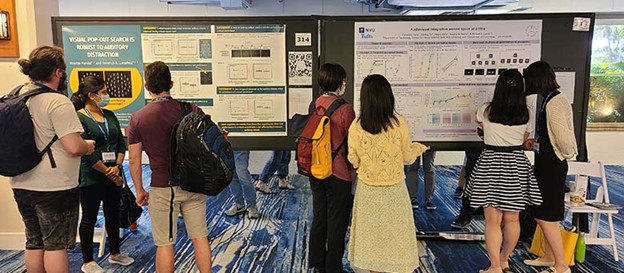
Sample Poster Boards
Supplies and Equipment
Pushpins are provided at each poster board to mount your poster to the board. Additional pushpins are available near the poster room entrance. Tape, glue and other adhesives are not to be used on the poster boards.
Poster boards are numbered in the upper right of the board.
Contact signup sheets are available from the AVS staff person in the poster room. Pin the contact signup sheet on your board if you would like people to leave their name and email for future contact.
Chairs are positioned between each board for seating. Power is not provided at your poster board.
Optional Poster PDFs
Poster presenters may upload an optional one-page PDF of their poster to the AVS website. Registered attendees are able to view your PDF from your poster presentation page or download it. Poster PDFs are available for viewing on the AVS website through August 31, 2026.
Uploading Your Poster PDFs
To upload your Poster PDF, log in to your MyAVS account and click ‘View My Poster’ to display your poster information page. Look for controls in a yellow box (visible only to you) to upload your PDF.
We advise you to test viewing your PDF after uploading to ensure it display as expected. You can upload revisions at any time. Uploading a new file will overwrite the existing file; this action cannot be undone.
Poster QR Code
To assist attendees who are visiting your poster, you can generate a QR to place on your poster. Attendees scanning the QR code will be taken to your Poster Presentation page where they can read your poster abstract.
To Generate Your Poster QR Code
To generate your poster QR code, log in to your AVS account and click ‘View My Poster’ to display your poster information page. Look for controls in a yellow box (visible only to you) to generate your QR code.
Suggestions for Creating Effective Posters
- Prepare a title banner indicating abstract title, author(s) and affiliation(s). Lettering should be at least one inch high.
- Minimize narrative.
- For figures, use dark colors on white or light backgrounds. Figures should be designed to be viewed from a distance (about three feet).
- Use large type and short separated paragraphs.
- Do not set entire paragraphs in boldface or capital letters.
- Numbered or bulleted lists are a concise but effective way to convey a series of points.
- It is not necessary to post a copy of your abstract.
If you have any questions about your poster presentation, please contact us at .